


Instructions for using the basketball LED shotlock board
The sports LED Shot Clock boardis an indispensable device in basketball tournaments, helping to display competition time (Game Clock) and attack time (Shot Clock) clearly and accurately.
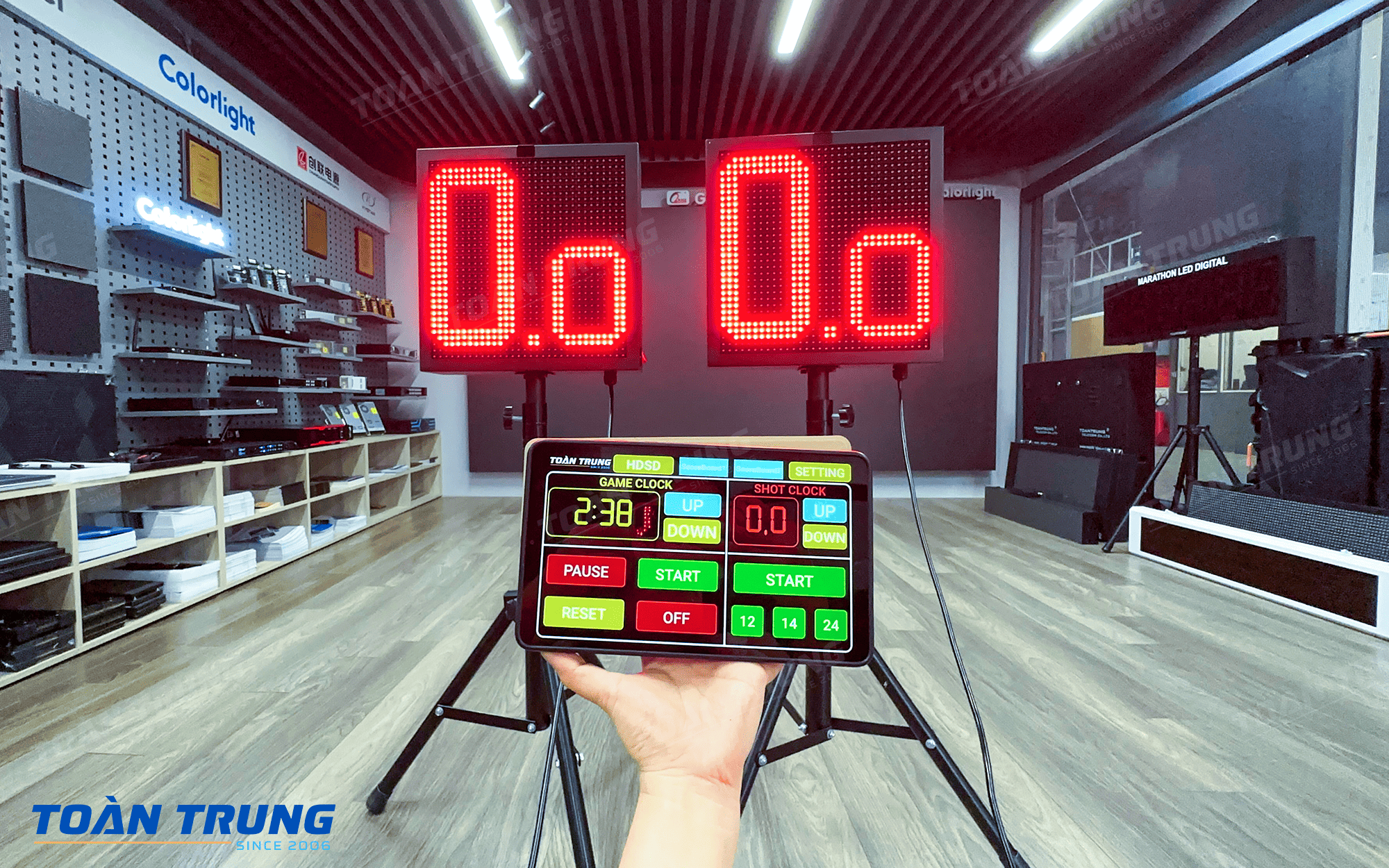
Operation of using Basketball Shotclock LED Board
Step 1:Power on both electronic boards(Game Clock & Shot Clock)
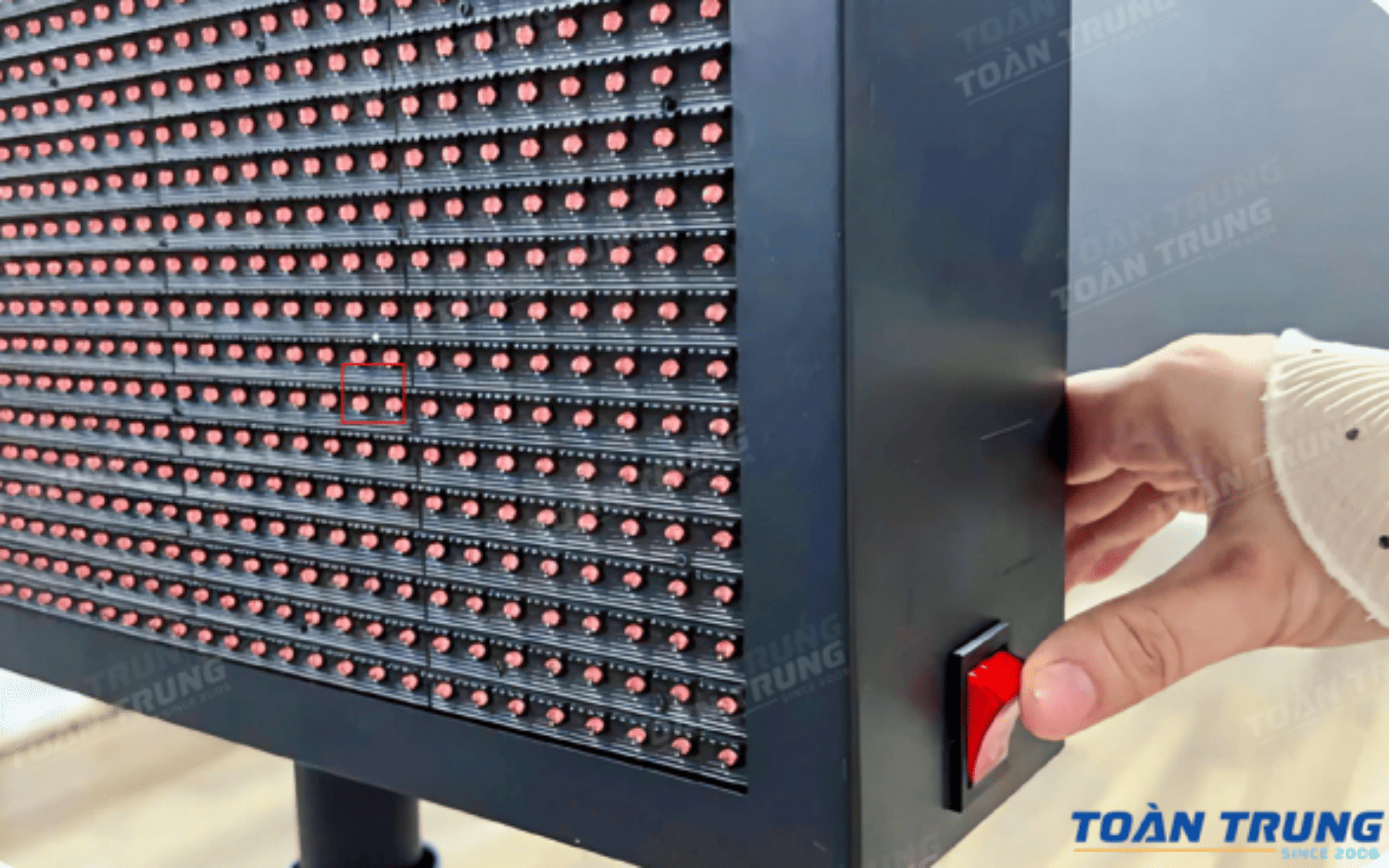
Step 2:Open the control application on Tablet or phone called “Game / Shot Clock”, enter account and password then press log in
Note: Each customer will be given a separate account to ensure security.
Step 3:After successful connection, the console will display like this
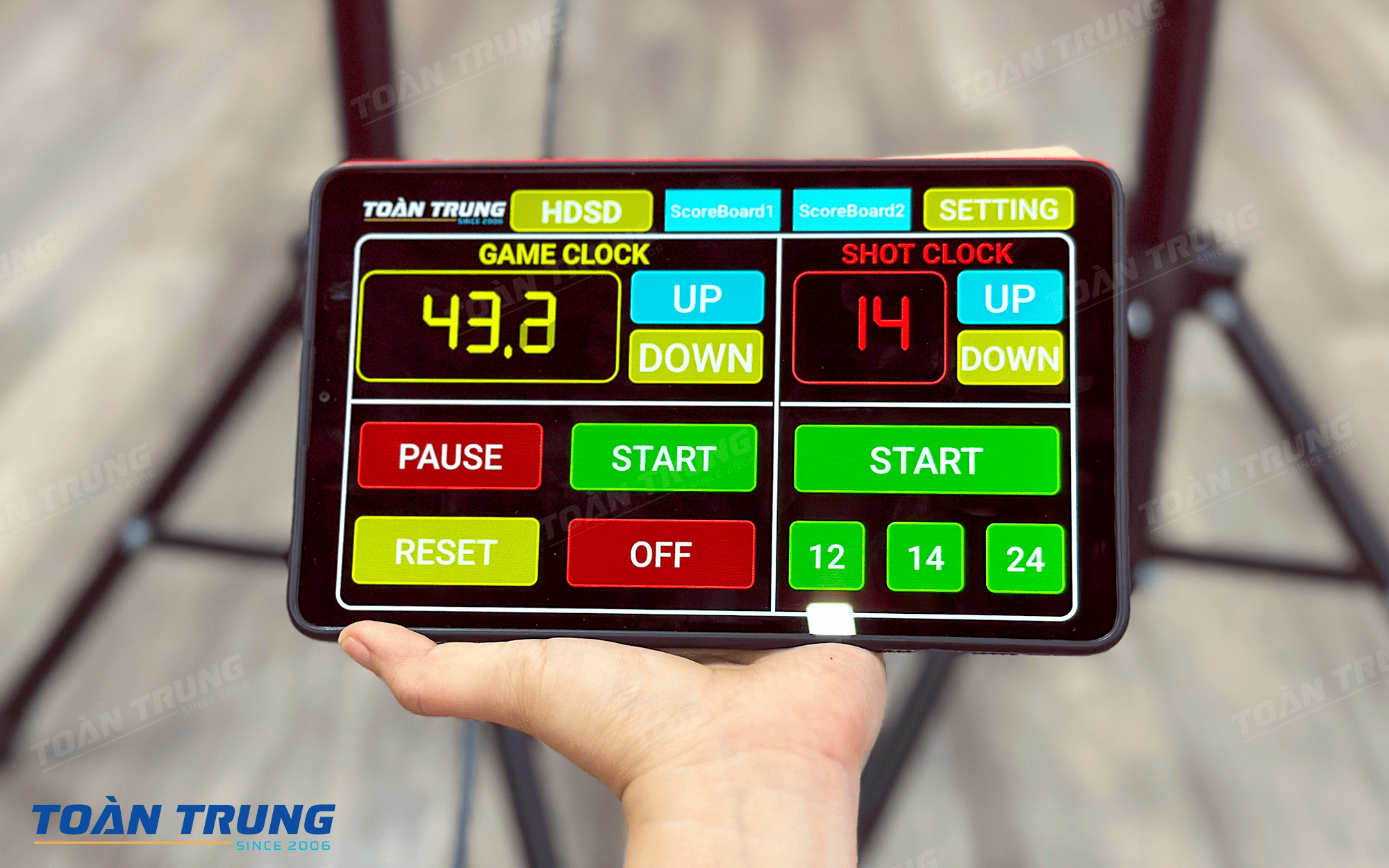
Step 4:Control the Shotlock board and Gameclock board as follows:
For Gameclock board: Game clock is the playing time of 1 round
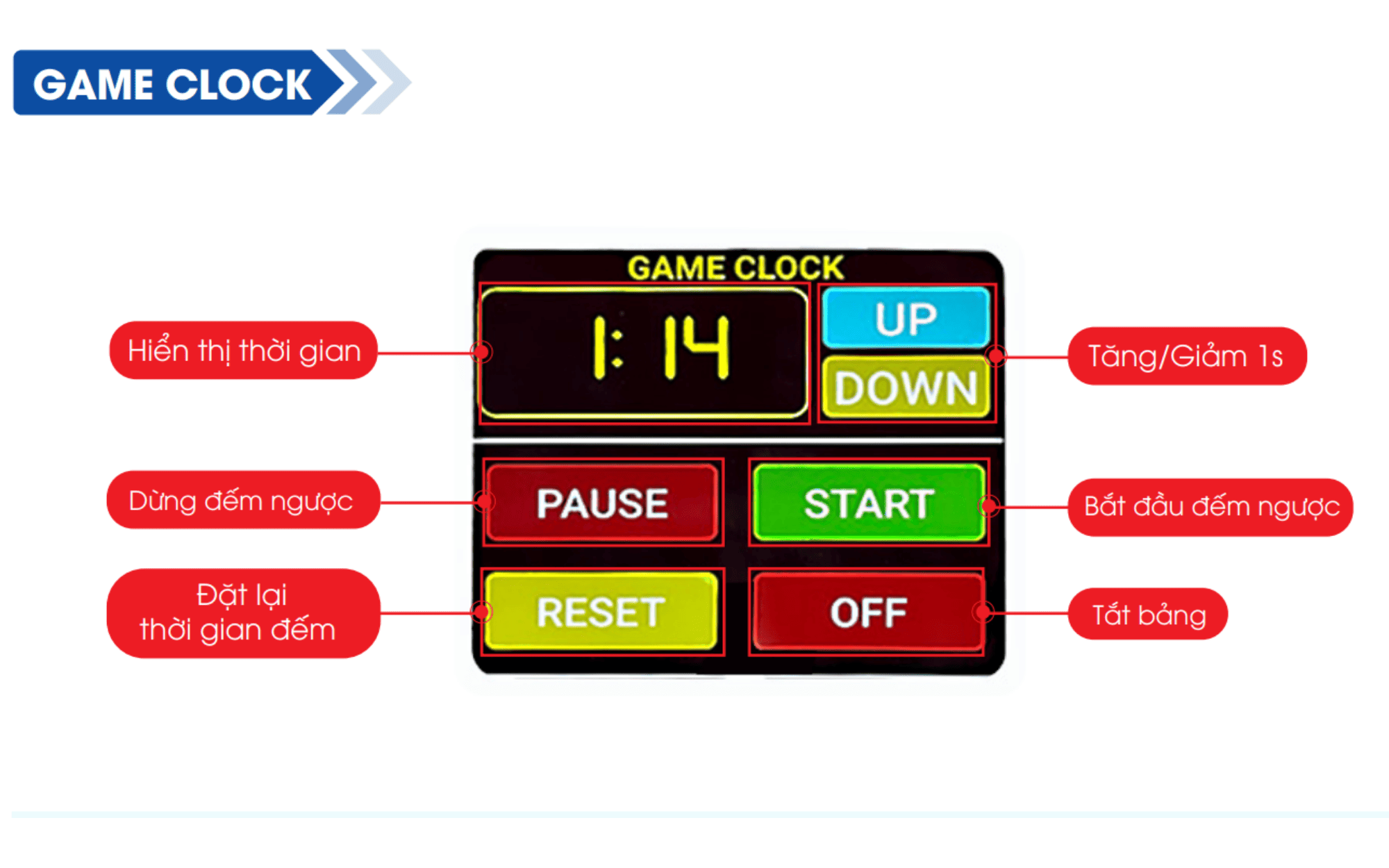
When pressing “START”: Game Clock and Shot Clock will both start counting down to 0.0
When pressed“PAUSE”: Game Clock and Shot Clock will stop
Pressing “RESET” resets the default time for Game Clock, “Reset” Button only works when both Game Clock and Shot Clock are stopped
“UP” “DOWN” allows the Game clock time to increase or decrease by 1 second.Game Clock’s “Up and Down” can be pressed and held to increase or decrease the time continuously.The “Up and Down” button only works when the Game Clock is stopped
OFF state: Green “ON” button
ON state: Red “OFF” button
For Shotclock board: Shot clock is the time of 1 attack
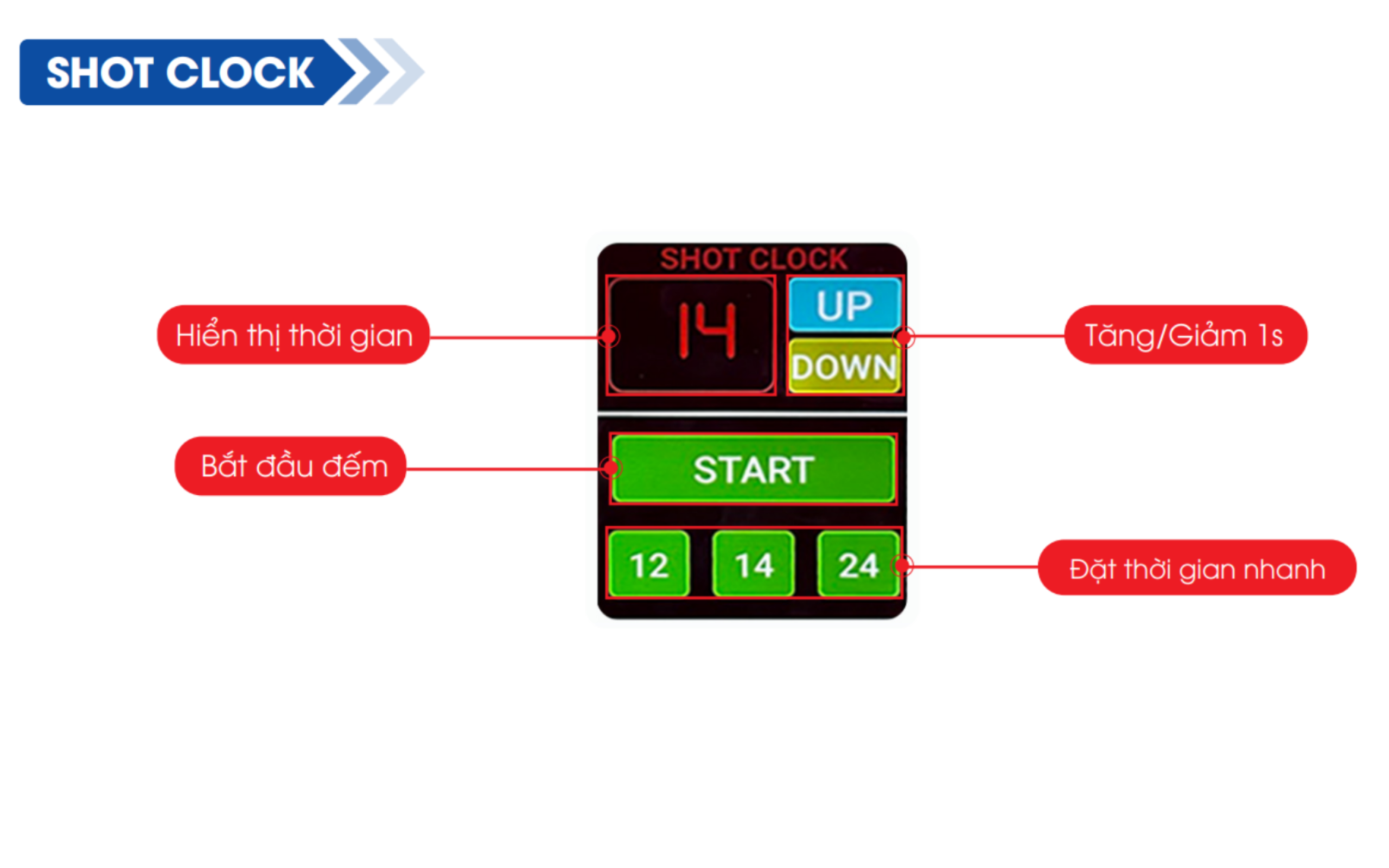
“START/PAUSE” button: Start Counting Shot Clock to 0.0 /Stop counting Shot Lock board
When in counting state: red “PAUSE” button:
When in stop state: blue “START” button
“UP/DOWN” button allows the Shot Clock time to increase or decrease by 1 second.“Up and Down” only works when the Shot Clock is stopped
“12/14/24” : When pressing one of these buttons, the Shot Clock time will be reset corresponding to the number of seconds on the button
>>> Tsee more: Instructions for using the airport bus LED board
Technical specifications of the basketball Shotlock LED board
| Frame size (Height x Width xThickness) | 578 x 578 x 100mm |
| Display | 1 Side |
| Power supply | 220Vac, Battery |
| Panel capacity | 18W |
| Feature | – Countdown time of 1 round. – Countdown time of 1 attack. – There is a buzzer signaling the end of time. – Adjustable brightness to suit indoor and outdoor environments. |
| Control | Wireless by Tablet, Control distance 80 meters |
| Material | 1mm steel, black powder coated, anti-glare mica surface |
| Waterproof, dustproof | IP53 |
| Operating environment | Outdoor, indoor |
| Installation | Standing foot |
>>See more:Instructions for using the Labor Safety LED Panel
Features of the Sports Shot Clock LED panel
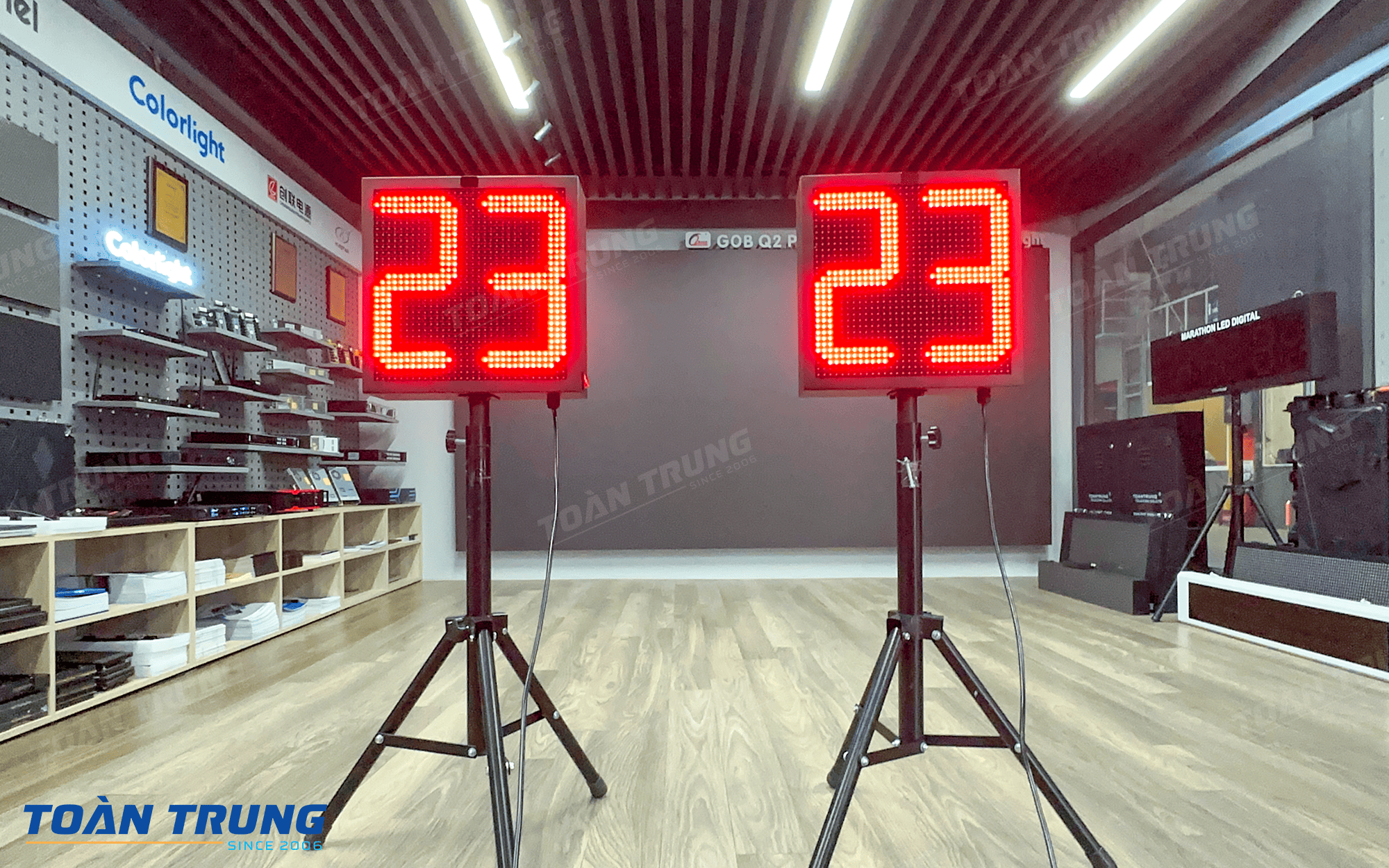
Displays clear attack time: Large number of LEDs, high brightness, easy to observe from afar, suitable for indoor and outdoor arenas.
Accurate real-time countdown: Shot Clock time operates stably, low latency, ensuring compliance with competition rules.
Flexible control by Tablet: Wireless connection, quick operation through specialized application, convenient for table referees.
Supports standard timelines: Quick setting12s – 14s – 24saccording to current basketball competition rules.
Synchronization with Game Clock: Shot Clock can run in parallel and stop with Game Clock, helping to manage the match accurately and professionally.
Neat design – easy to install: Solid frame, suitable arrangement for placing on a basketball board, wall or specialized hanging frame.


